

















Table of Contents
- • Streamlabs Review Summary
- • About Streamlabs
- • Other opinions about Streamlabs
- • Overview of Streamlabs
- • Streamlabs Review
- • Streamlabs Starter Review
- • Streamlabs Ultra Monthly Review
- • Streamlabs Ultra Annual Review
- • Streamlabs Pros & Cons
- • Streamlabs Return Policy
- • Streamlabs Delivery Policy
- • How to Contact Streamlabs
- • Where to buy Streamlabs?
- • Conclusion of Streamlabs reviews & ratings
Streamlabs Review Summary
Streamlabs is a comprehensive live streaming software that serves both beginners and experienced content creators by offering an integrated platform for streaming, recording, overlays, and viewer engagement. It generally provides an intuitive interface and multiple tools to simplify the streaming setup, though it may demand significant system resources and reserving some features for paid subscriptions. Overall, Streamlabs tends to balance accessibility with professional features.
Highlights
- Suitable for beginner to advanced streamers
- Offers overlays, widgets, multistreaming, and video tools
- Can be resource-intensive and limits some features behind a subscription
- Solid platform with a 8.3/10 usability and feature balance
In the broader live streaming software market, Streamlabs stands out for ease of use and integrated support but is one of several options available. Alternatives exist for users seeking lighter or fully free solutions. For a detailed look, see Streamlabs review.
About Streamlabs
Many content creators face challenges setting up professional live streams without complex software or hardware. Managing overlays, alerts, and multistreaming often requires multiple tools and technical know-how. For beginners, this complexity can hinder content creation and audience engagement.

Streamlabs offers an integrated live streaming platform simplifying the process for creators. It provides tools for overlays, alerts, multistreaming, and chat management in a user-friendly interface. Positioned as a comprehensive solution, it caters to Twitch, YouTube, Facebook, and other streaming services.
Streamlabs powers over 70% of Twitch streams, reflecting significant adoption across the streaming community. It has received recognition such as the 2025 Webby People’s Voice Award in Creative Production. This level of usage and acclaim underscores its position as a leading streaming software provider.
The platform suits creators seeking a one-stop solution for streaming and recording but comes with higher CPU usage compared to simpler alternatives. Some advanced features require a paid subscription, which may not fit all budgets. For a balanced evaluation, see the Streamlabs review to determine if it matches your streaming needs.
Overview of Streamlabs
Streamlabs is a live streaming software platform designed to provide tools and services for content creators, primarily those streaming on platforms such as Twitch, YouTube, and Facebook. It originated as an enhanced version of OBS (Open Broadcaster Software) to offer integrated widgets, overlays, and multistreaming capabilities in a single interface. The platform is operated by Streamlabs, a part of Logitech G, and serves a global user base of streamers and gamers.
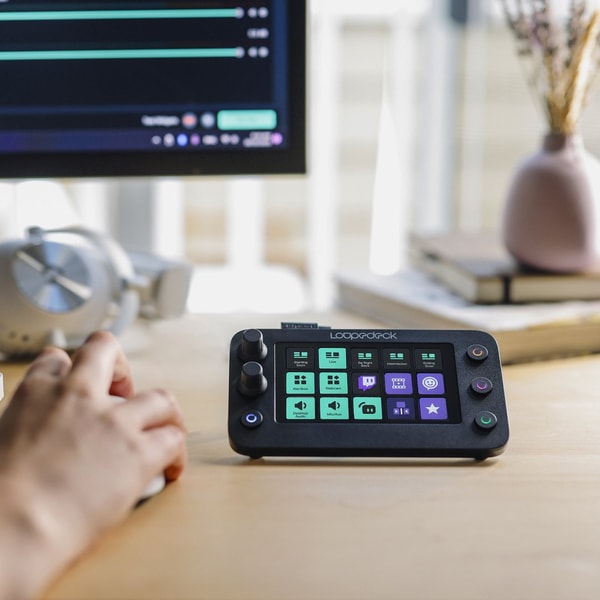
Streamlabs functions as an all-in-one solution that simplifies the process of live streaming by combining various features, including customizable alerts, chat widgets, and tipping services. Its software products include Streamlabs Desktop, Streamlabs Console for console streaming, Talk Studio for browser-based streaming, and mobile applications. These tools support the creation and management of live streams through user-friendly interfaces, allowing for branding, interaction, and monetization.
The development and operation of Streamlabs are sustained through a freemium model, offering both free access to essential features and subscription plans like Streamlabs Ultra for advanced capabilities. The platform continuously updates to integrate new streaming technologies such as multistreaming and vertical video formats, aiming to accommodate diverse streaming needs. This overview is based on publicly available information, reflecting the operational structure and features noted in a Streamlabs Review.
Streamlabs Review
Streamlabs is a brand focused on providing live streaming software and tools designed for creators at all levels. It aims to simplify the streaming process with an intuitive interface and integrated features that support audience interaction. The brand is recognized for supporting popular platforms including Twitch, YouTube, TikTok, and Facebook to enhance user reach.
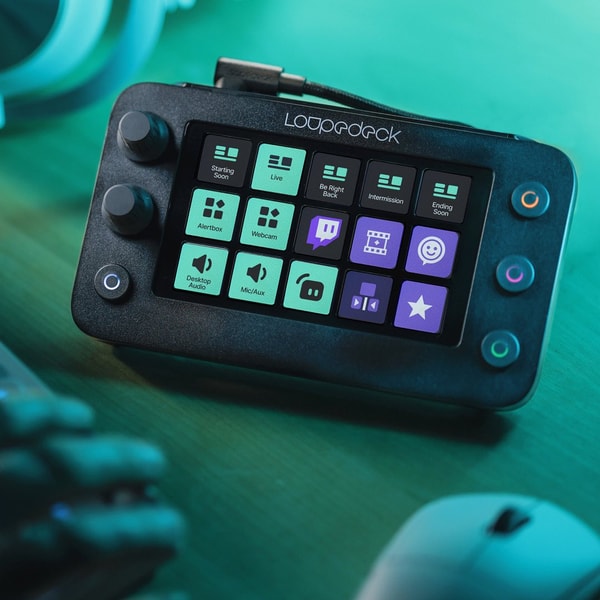
Streamlabs offers a range of services including customizable themes, chat integration, tipping options, and a built-in merch store. It also supports multistreaming, allowing content creators to broadcast to multiple destinations simultaneously. These features position Streamlabs as a comprehensive solution for streamers seeking engaging and versatile streaming capabilities.
Streamlabs Highlights- Intuitive setup process
- Multistreaming support
- Customizable themes
- Integrated chat and alerts
- Mobile app availability
Streamlabs Starter Review
Streamlabs Starter offers a free plan tailored for creators beginning live streaming with no initial cost. It includes access to free overlays, themes, and basic widgets, allowing streaming to two destinations at the same time.
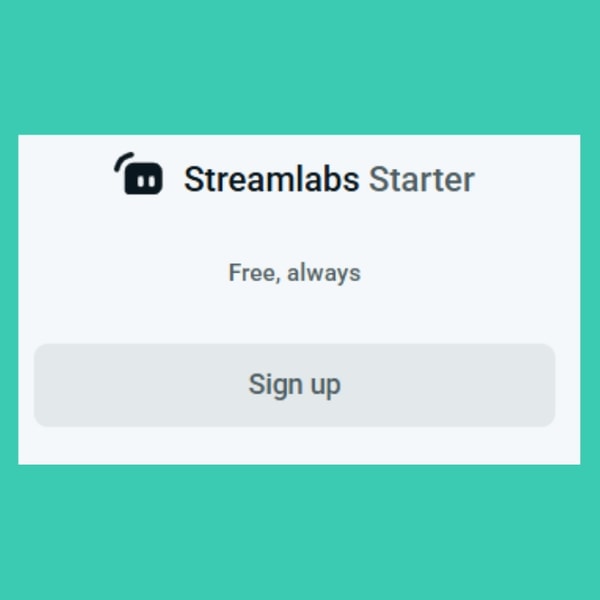
The plan delivers essential streaming tools with limited cloud storage and basic chatbot functions, making it suitable for beginners or casual streamers. It supports a single guest and provides a standard tier for viewer engagement through All-Stars.
The plan is available at no cost. Additional information and access can be found on the Streamlabs website.
Streamlabs Ultra Monthly Review
Streamlabs Ultra Monthly is a premium subscription that provides full access to all overlays, widgets, and apps. It supports streaming to three or more destinations and allows up to 11 guests or cameras, catering to advanced streaming setups.
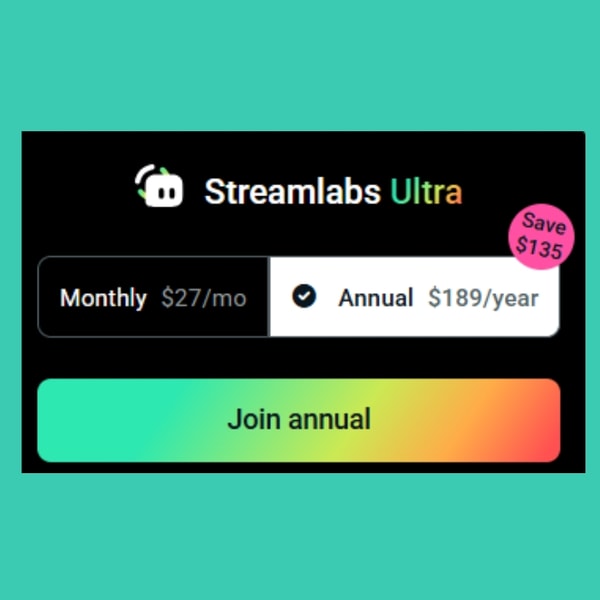
This subscription tier offers enhanced storage and custom chatbot features, removes watermarks, and grants priority access to sponsorship opportunities. It also includes pro versions of editing tools like Cross Clip and Talk Studio for a more comprehensive streaming experience. The price for Streamlabs Ultra Monthly is $27 USD per month.
Price $27 • streamlabs.com
Streamlabs Ultra Annual Review
The Streamlabs Ultra Annual plan provides a comprehensive set of premium features with the advantage of annual billing and cost savings. It is designed for creators who require long-term access and a wide range of functionalities.
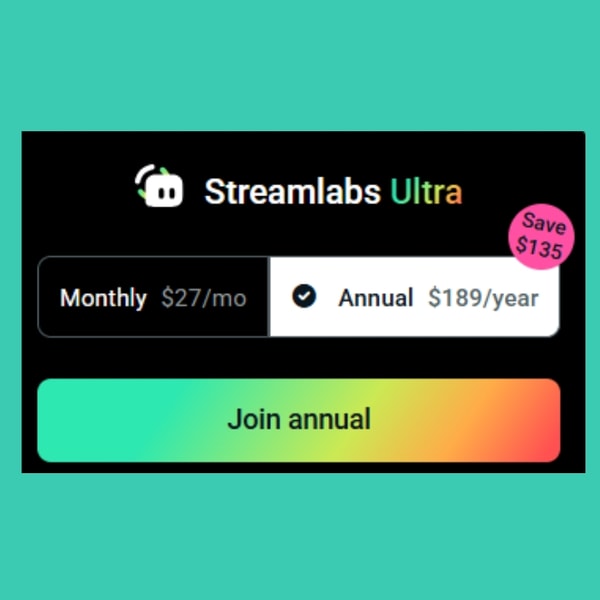
Subscribers receive full access to all professional overlays, support for multiple streaming destinations, and expanded guest capabilities. Additionally, advanced editing and recording applications are available without any restrictions or watermarks.
The plan costs $189 USD per year, offering a bundled solution for users seeking extensive tools for streaming and content creation.
Price $189 • streamlabs.com
Streamlabs Pros & Cons
Streamlabs offers an intuitive, all-in-one streaming interface that supports multistreaming across multiple platforms. It includes thousands of overlays and widget themes, along with integrated tipping and merch store features to assist with monetization. The platform also provides chat and chatbot moderation tools, and allows for mobile and browser-based streaming, making it accessible for various user preferences.
However, Streamlabs can have higher CPU usage compared to standard OBS, which may affect performance on less powerful systems. Many of its premium features require a subscription, and some users have reported challenges with customer support, which could impact the overall user experience.
- • Intuitive streaming interface
- • Multistreaming to multiple platforms
- • Thousands of overlays and widget themes
- • Integrated tipping and merch store
- • Chat and chatbot moderation tools
- • Mobile and browser-based streaming
- • Free essential tools and starter plan
- • High CPU usage compared to standard OBS
- • Many premium features require subscription
- • Reported customer support challenges
Streamlabs Return Policy
Streamlabs primarily provides software subscriptions and services, which generally do not support returns. Specific return periods and fees are not clearly documented in available sources. Digital goods such as subscription plans and licenses are usually non-refundable under standard policy conditions.
Any exceptions to the non-refundable policy would be communicated directly by Streamlabs through their support channels. Users are encouraged to contact Streamlabs support for guidance on possible returns or refunds related to digital products or services.
Streamlabs Delivery Policy
Streamlabs provides digital services and software products that are accessible online. Users receive instant access to their purchases through digital download or online accounts without any physical shipment involved. All services require an internet connection for use and streaming functionality.
Access is granted immediately after sign-up or purchase, eliminating any waiting period. There are no shipping costs or tracking since delivery is entirely digital. Users can log in to their accounts or use activation details provided to start using the software and services right away.
How to Contact Streamlabs
Streamlabs offers several ways to get in touch for support or inquiries. Users can reach out for technical assistance or general questions through dedicated communication channels.
- Business Inquiries: [email protected]
- Support: [email protected]
- Help Center: https://support.streamlabs.com
If additional help is needed, users can also connect through the Streamlabs Discord community and social media platforms.
Where to buy Streamlabs?
Streamlabs is officially available for purchase through its website, where users can create accounts, access customer support, and review clear policies, making it a structurally reliable source. When obtaining Streamlabs from streamlabs.com, users can expect access to various plans and features designed for streaming.
It is important to note that marketplace offerings outside the official site may differ in terms of reliability, and while offline access is limited, variations in service and policies are likely between official and third-party sources.
Conclusion of Streamlabs reviews & ratings
Streamlabs plays a significant role in the live streaming space by offering integrated tools that simplify the streaming process for both beginners and experienced users. Its strengths include easy setup, built-in overlays and alerts, and multistreaming capabilities, all accessible through streamlabs.com. These features make it a convenient option in a competitive category.
Exploring the platform’s various offerings can provide a clearer view of how it fits individual streaming needs. Readers interested in a deeper analysis can refer back to this Streamlabs review to make informed decisions with confidence and understanding.
Editorial notes reflect aggregated buyer feedback and our independent editorial review of publicly available information. They are for informational purposes only and do not constitute endorsements. Purchases are made at your own discretion, and we are not responsible for transactions or outcomes related to this store. Experiences may vary. This content is assisted by AI and reviewed by our editorial team. While we strive for accuracy, AI-supported information may not always be 100% precise, so please verify any critical details.

